Building Hurtle, an IDM-style download manager with GPUI Kit
I wanted IDM-style downloads on Linux — segmented parallel fetches in Rust, a GPUI desktop app, and a browser extension for files and video. This is Hurtle.
- Rust
- GPUI
- Linux
- Open source
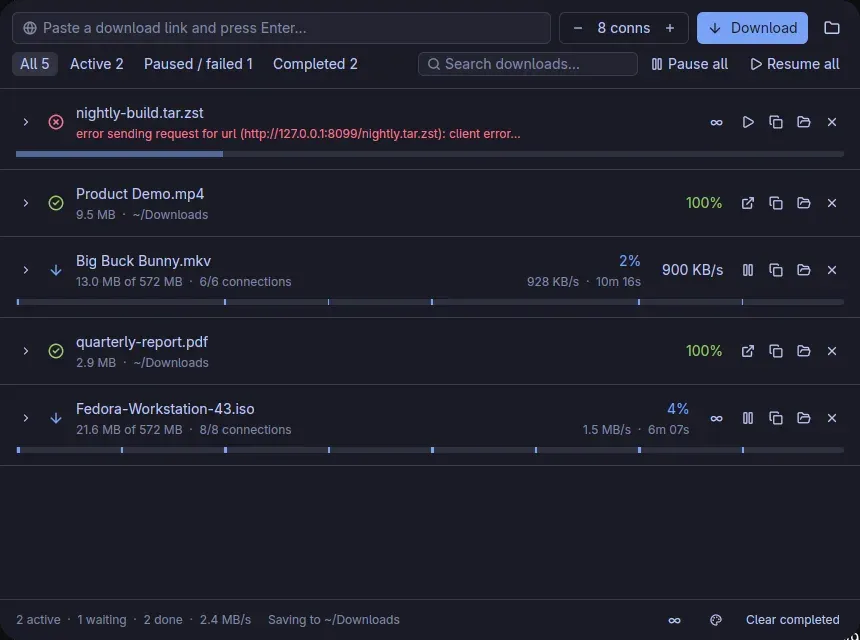
I wanted Internet Download Manager's behaviour on Linux: split a file into ranges, keep every connection busy, intercept the browser, and resume after a crash. Nothing I tried did all of that the way I actually download things — large ISOs from servers that cap each connection, plus videos that are not a single file. So I wrote Hurtle.
It is a Rust engine, a desktop app built with GPUI Kit, and an MV3 extension for Chrome-family browsers and Firefox. I use it daily. The source is at github.com/arafays/hurtle. It shipped first as Surge; I renamed it in 0.2 because another download manager already had that name.
Why segmented downloads are faster
Many hosts throttle a single TCP connection. One browser download sits on that cap. Hurtle probes with Range: bytes=0-0. A 206 with a total size means the file can be fetched in pieces; each piece goes out on its own HTTP/1.1 connection.
When a worker finishes, it does not sit idle. It takes the leftover of a stalled owner, or it splits the segment with the longest ETA so both halves finish together. That is the same dynamic segmentation IDM uses. HTTP/2 is off on purpose: multiplexed streams would share one connection, and the per-connection cap would apply again.
Against a 24 MB file on a server limited to 512 KB/s per connection:
| Connections | Time | Average |
|---|---|---|
| 1 | 48.2 s | 510 KB/s |
| 8 | 6.6 s | 3.7 MB/s |
Bytes land in a preallocated .part file, so there is no merge step. State is written every two seconds. Pause, quit, or crash, and the next start continues from the last written offset. Size and ETag are checked on resume; if the file changed, the download starts over.
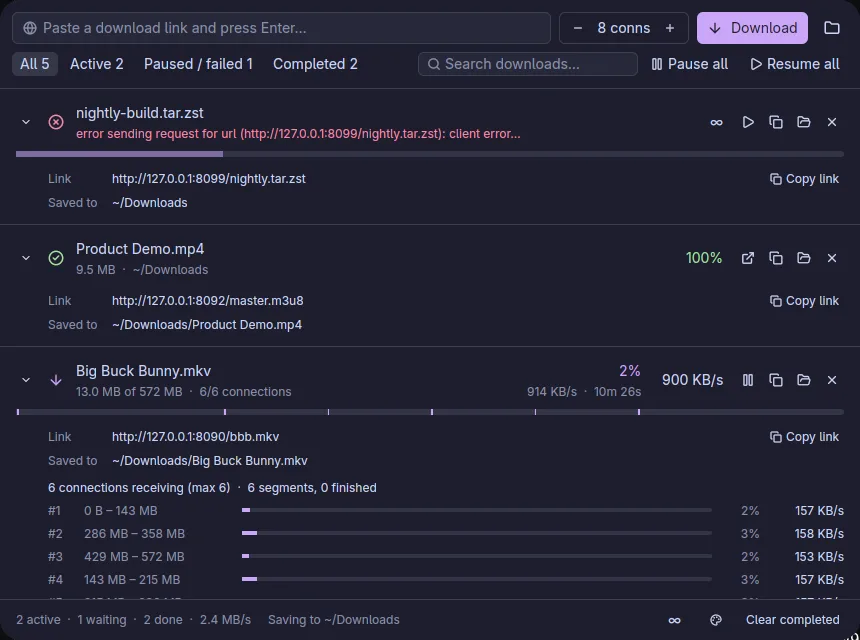
A download starts with up to four connections and ramps up while throughput is still rising, up to the limit you set. A 429, 503, or connect error halves that cap. Per-file and global speed limits are token buckets and can change while a job is running.
If the server does not support ranges, Hurtle falls back to a single stream instead of pretending.
Catch it in the browser
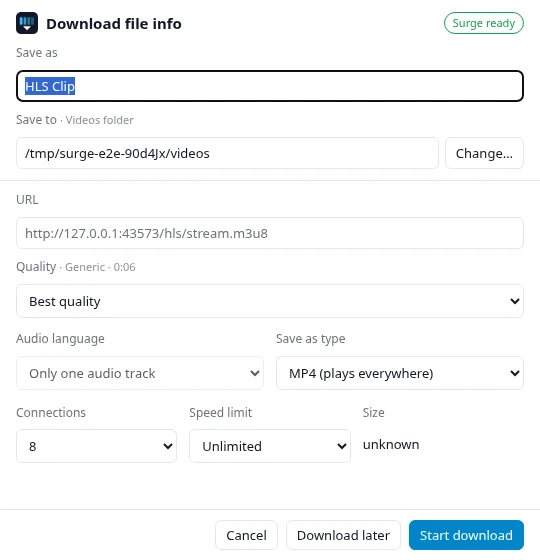
The useful part of IDM was never the window. It was catching the click. The extension pauses the browser's own download and opens one dialog: name, folder, connection count, speed limit. Cookies, Referer, and User-Agent go with the request, so a login session still works. The capture below is from before the rename, so the badge still says Surge.
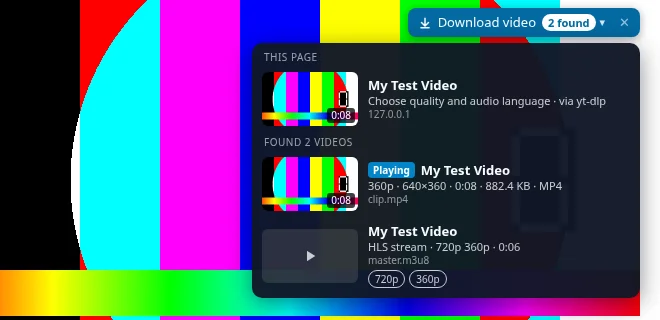
Hover a <video> and a Download video button appears. The popup lists everything sniffed on the tab. Right-click a link for Download with Hurtle. Magnet links and .torrent files open the same dialog with a file list.
The extension talks to a native-messaging host. The host can start the app if it is not running, and it can list yt-dlp formats without opening the window. Folders can be set in the popup even while the app is closed.
Video sites without the command line
YouTube and most players do not give you one URL. They fetch fragments, often with audio and video apart. HLS and DASH do the same. Hurtle hands those to yt-dlp; ffmpeg merges the result.
I care about three details that CLI wrappers usually skip:
- Files are named after the video, not
videoplayback?id=… - Auto-dubbed YouTube tracks are skipped by default; the original language is selected, and the others are listed
- Output can be MP4, MKV, the original container, or audio-only as MP3, M4A, or Opus
Paste a page URL in the app and it switches to yt-dlp when the response is HTML or a manifest. Pause stops yt-dlp and the ffmpeg it started; resume continues from the partial files. Missing yt-dlp, ffmpeg, or deno are fetched from their official releases the first time, with SHA-256 checks. An installed copy on PATH wins.
Torrents go through librqbit. You can pick files, seed to a ratio, and play while downloading over a local HTTP stream (VLC first, then whatever else is installed).
GPUI Kit for the window
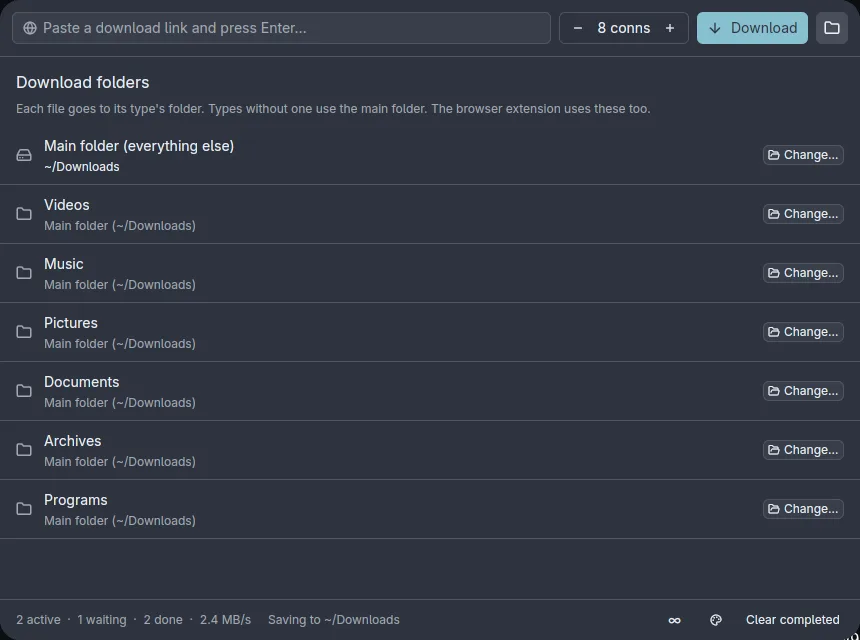
I did not want Electron for a download list. GPUI is Zed's GPU UI stack. GPUI Kit sits on top of it with buttons, inputs, menus, themes, and icons, so the app is still native Rust.
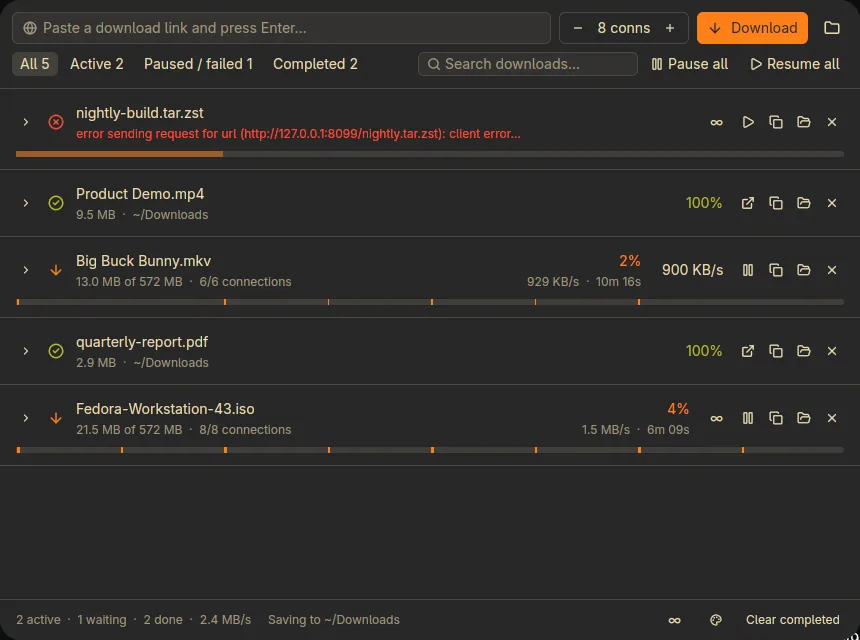
The engine owns its own Tokio runtime. The window never runs Tokio. It polls a snapshot about four times a second and redraws only when a fingerprint of the visible fields changes. That keeps the list cheap even when several jobs are splitting segments.
On Linux, Hurtle reads the palette from Omarchy, Noctalia, pywal, wallust, Stylix, GTK, and KDE, and reapplies it when those files change. Elsewhere you pick light, dark, or a preset.
The tray icon is Linux-only for now. Closing the window on Windows or macOS quits the app; the next intercepted download starts it again. Those builds are unsigned, so SmartScreen and Gatekeeper may complain. The Firefox add-on is signed by Mozilla but unlisted; it updates from the project site.
What I actually wanted
A Linux download manager that behaves like IDM for big files, saves videos without a terminal, and looks like the rest of my desktop. Hurtle is that, for my use, and it is open if it matches yours.
- Site and installers: arafays.github.io/hurtle
- Source: github.com/arafays/hurtle